How to cancel a CodeRabbit subscription?
Last updated: July 21, 2026
Context
A customer with an active CodeRabbit subscription (monthly or annual) wishes to cancel automatic renewal.
Answer
Both monthly and annual CodeRabbit subscriptions can be canceled at any time to prevent automatic renewal. Cancellation can be performed only by customers with the Admin or Billing Admin role.
After cancellation, the subscription remains active until the end of the current billing term and does not renew for the following term:
Monthly subscriptions remain active until the end of the current monthly billing period.
Annual subscriptions remain active until the end of the current annual billing period.
Per CodeRabbit policy, refunds are not issued for unused time on monthly or annual plans.
To cancel a subscription
Sign in to the CodeRabbit web application.
Navigate to the Billing page.
Click the Danger Zone button.
Select Cancel Subscription.
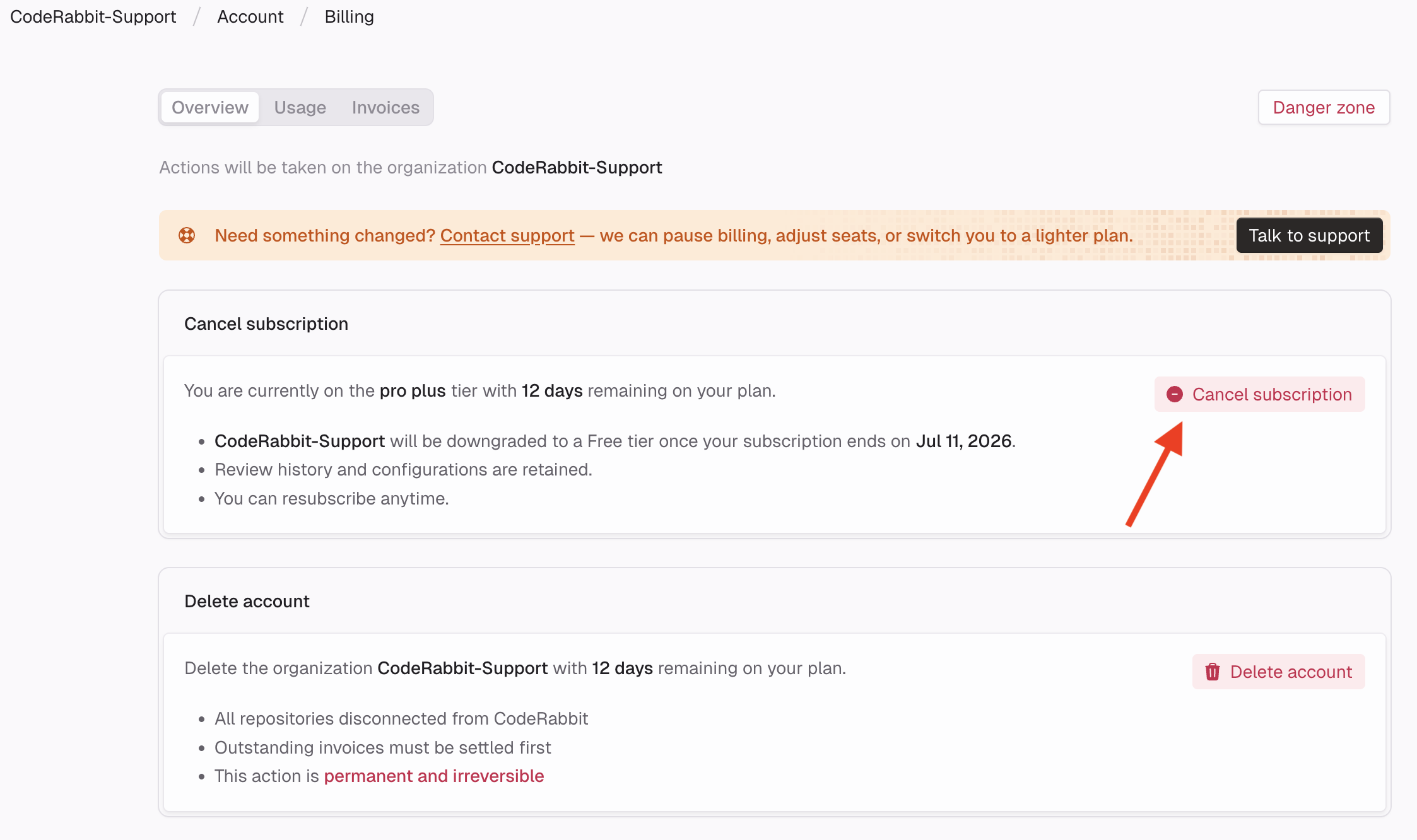
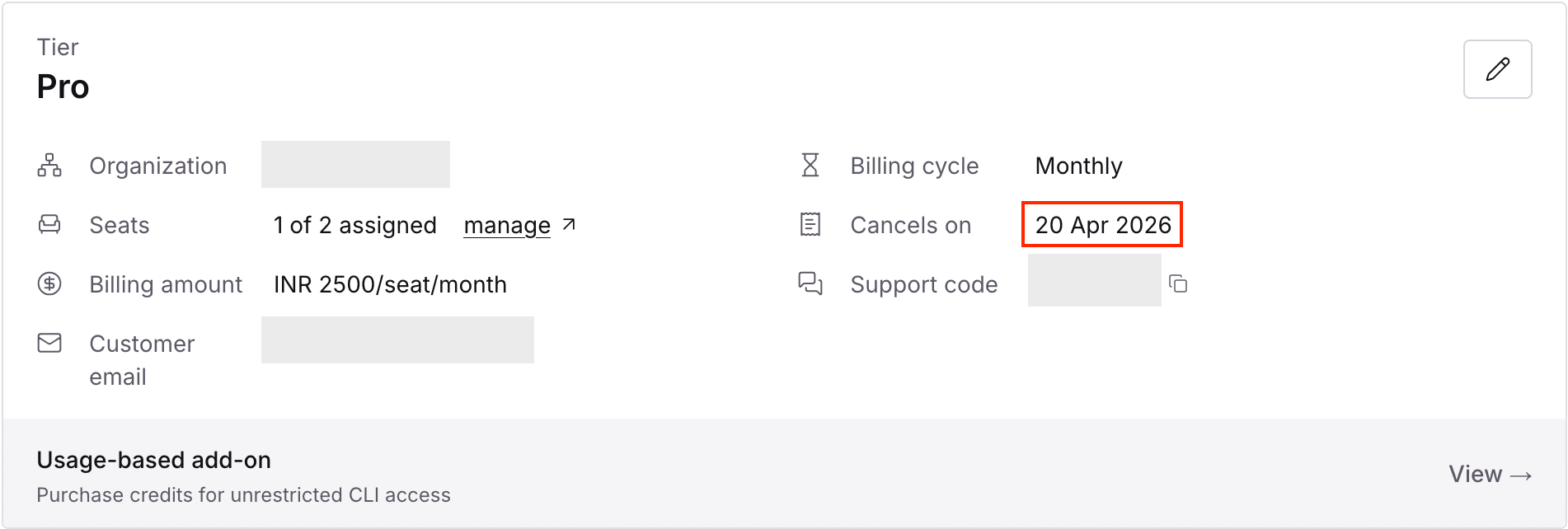
The account retains access to all paid features until the current subscription term ends. The cancellation date is displayed on the Billing page after cancellation is confirmed:
For additional questions or concerns, contact CodeRabbit Support.