How to pay an outstanding invoice
Last updated: June 9, 2026
Context
When a pending invoice exists and manual triggering of payment or direct payment is desired, the location of that option may be unclear, especially with an active payment method already on file.
Answer
Navigate to the Subscription and Billing page.
When a payment is due, and can be manually triggered, a "Pay pending invoices" button will appear (shown below).
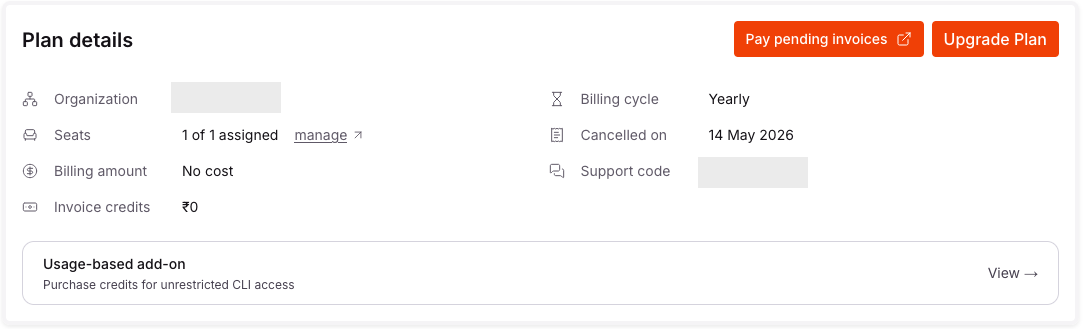
In a new window, the user will be redirected to a ChargeBee URL. Please make a payment there. Ensure a payment method (credit card) has been added.
Exceptions
Enterprise customers will not see the button described above. Please contact CodeRabbit support at support@coderabbit.ai for further assistance.